| Style | Route | Background | Streets | Highways | Water |
|---|---|---|---|---|---|
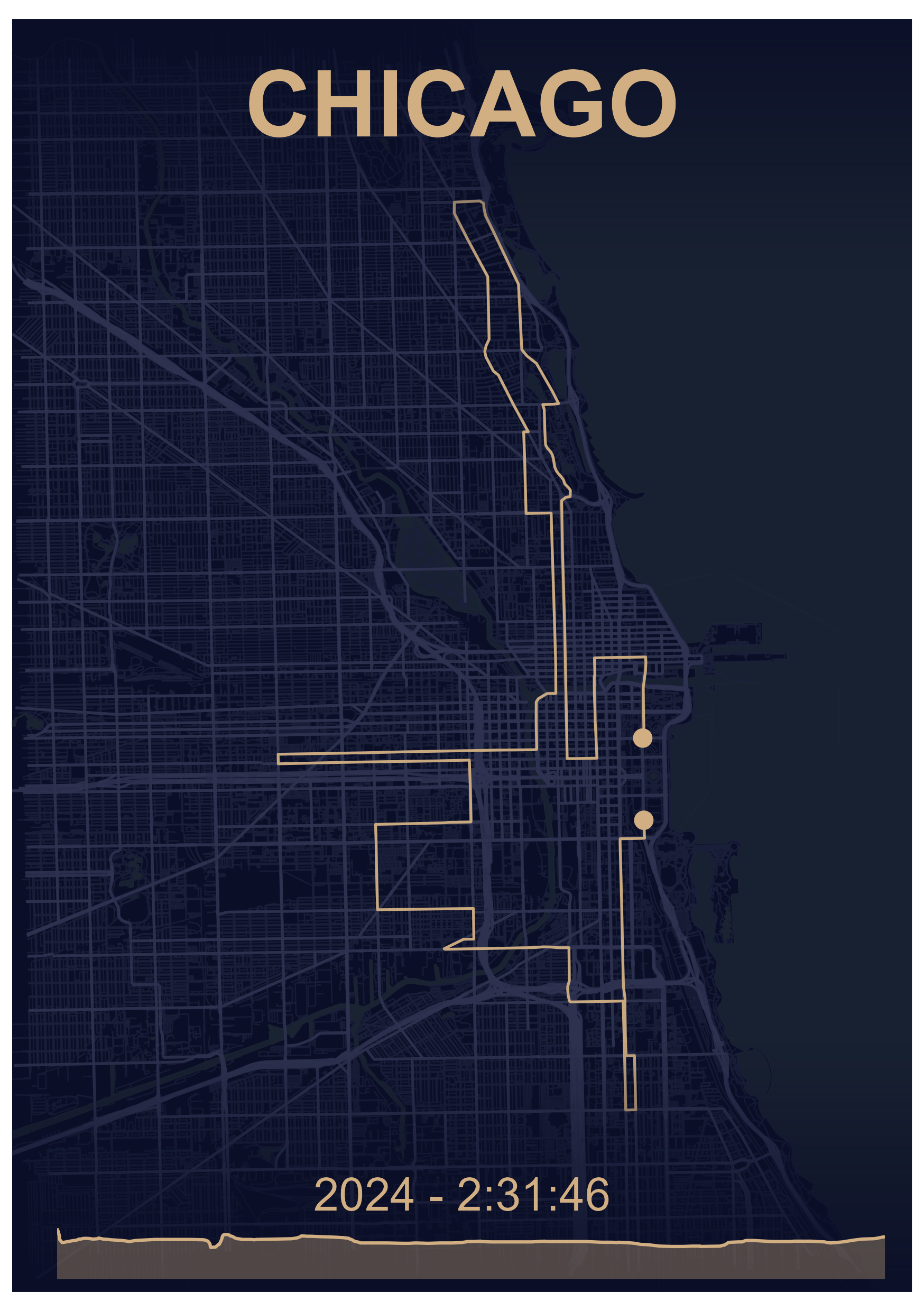
| Dark | #d1af82 | #0a0e27 | #1a1f3a | #2d3250 | #1a2332 |
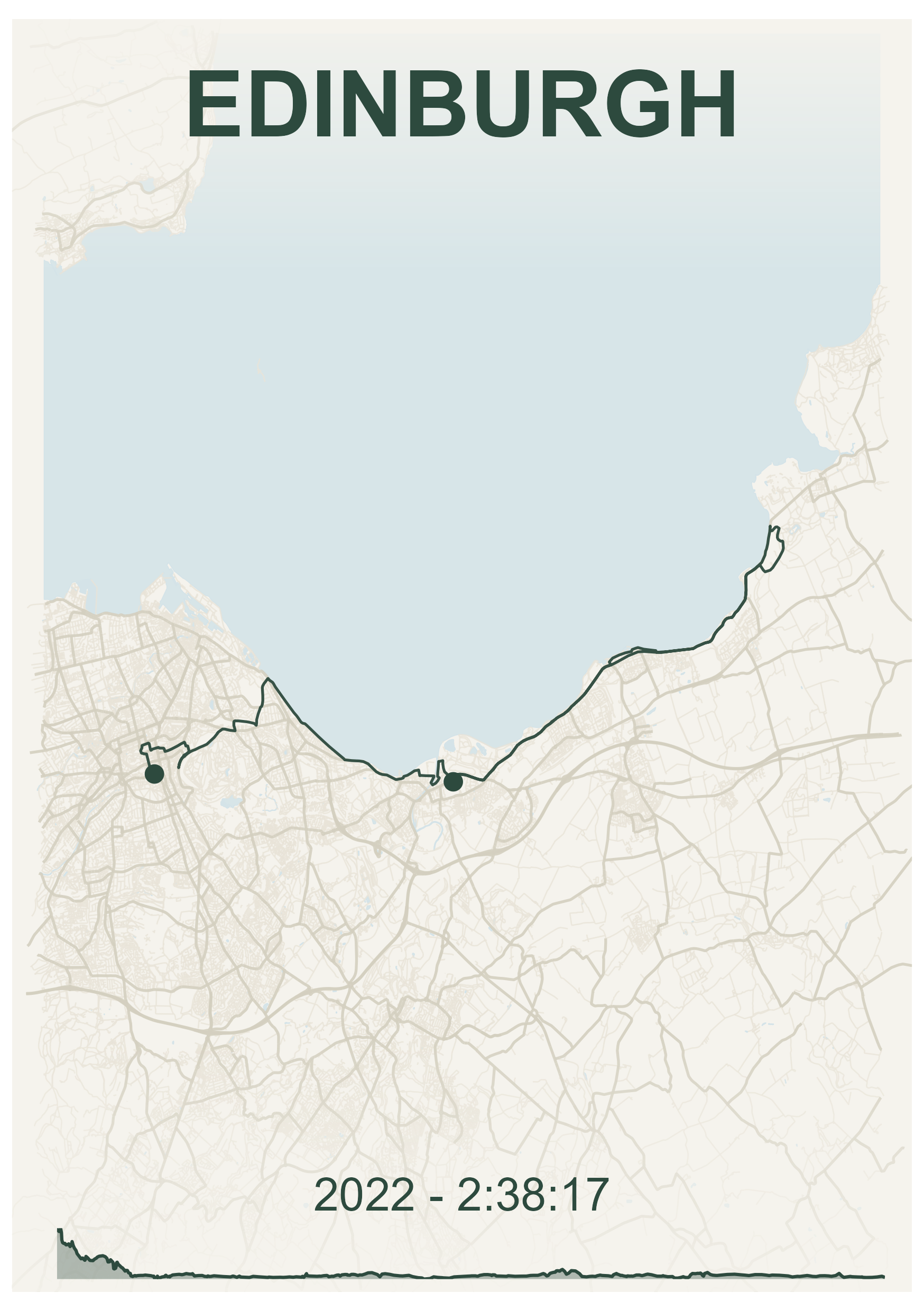
| Emerald | #2d4a3e | #f5f3ed | #e8e4d8 | #d4cfc0 | #d4e3e8 |
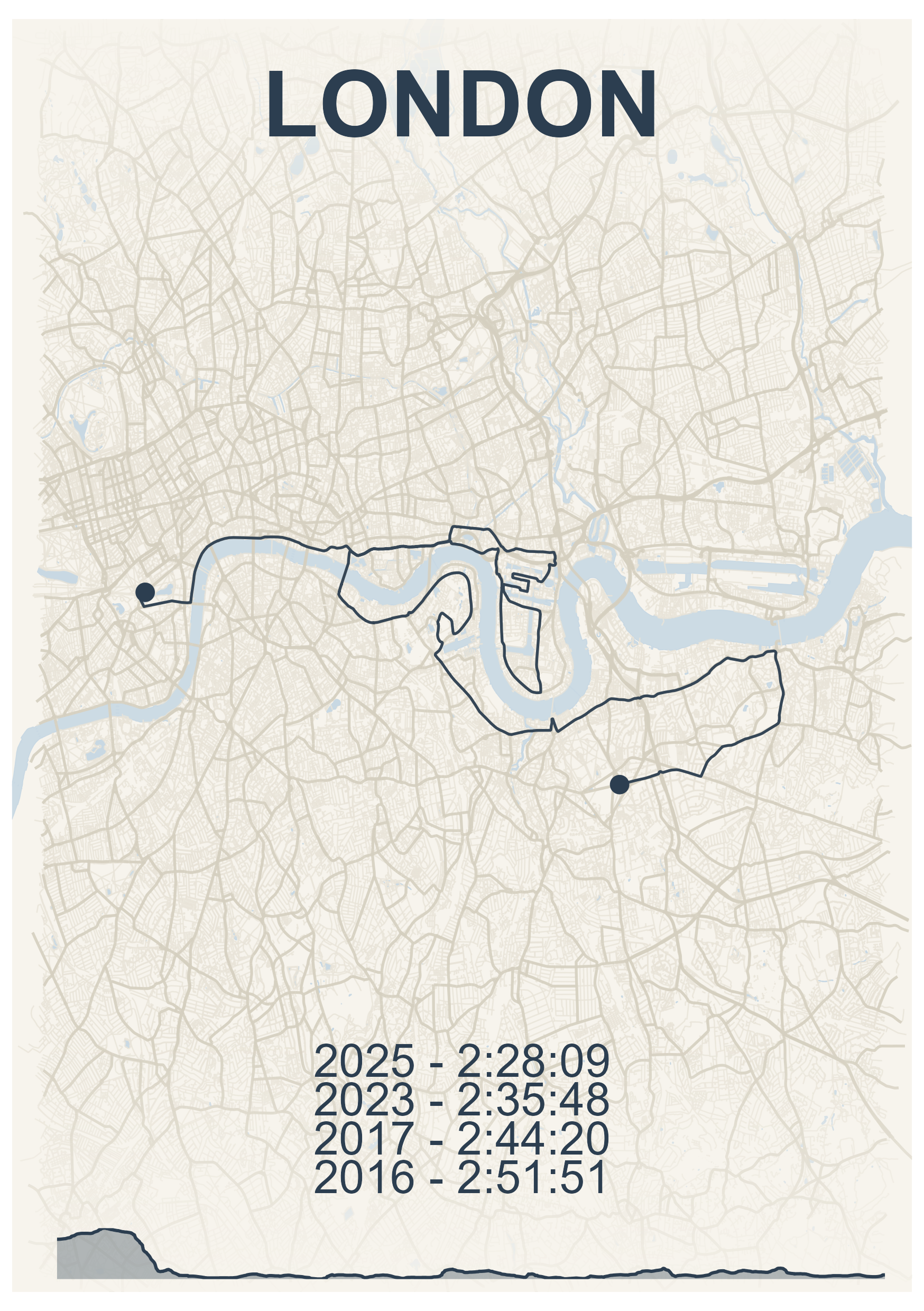
| Nautical | #2c3e50 | #f7f4ed | #e9e4d8 | #d5cfc0 | #c8d8e3 |
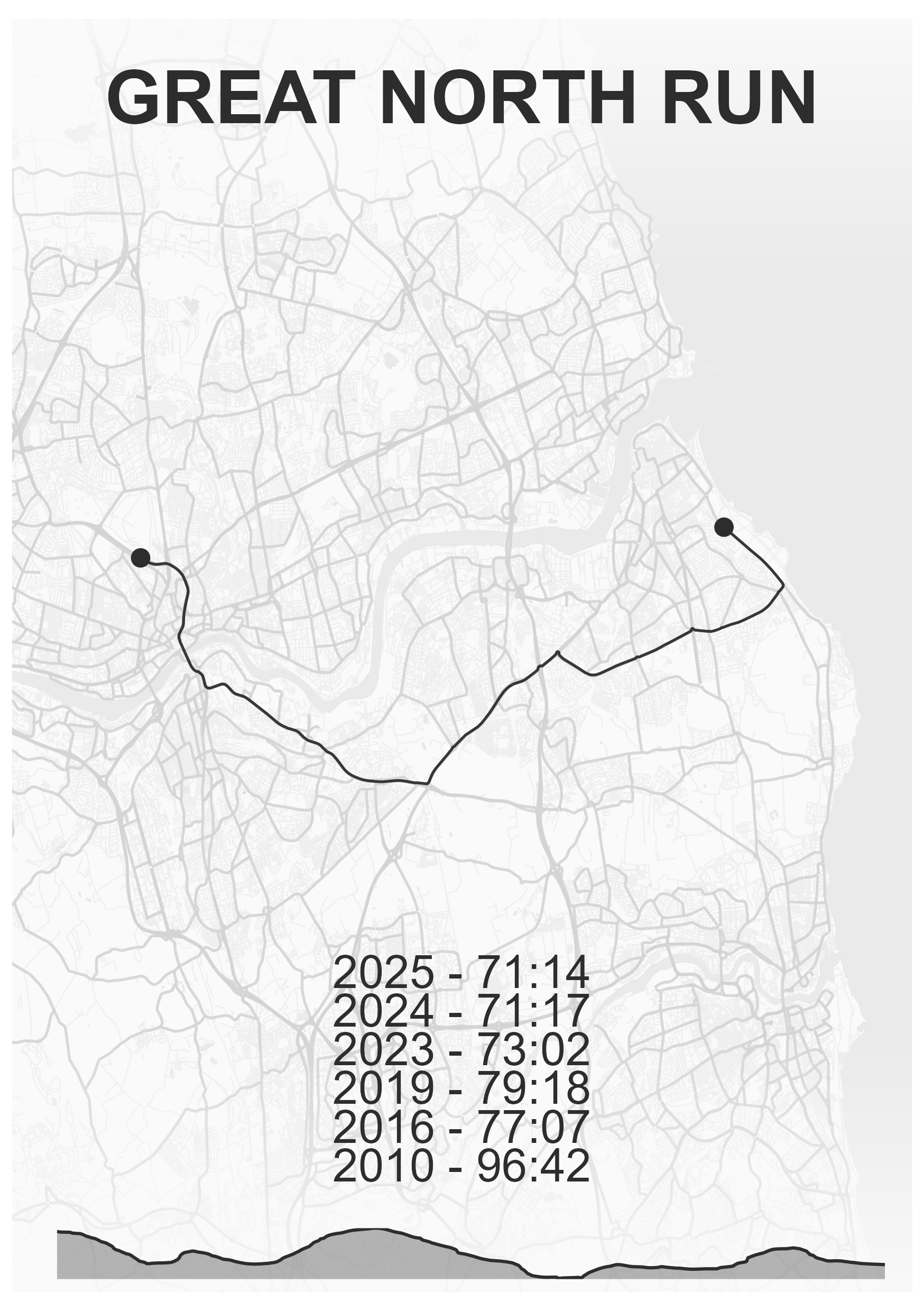
| Zen | #2d2d2d | #fafafa | #eeeeee | #d4d4d4 | #e8e8e8 |
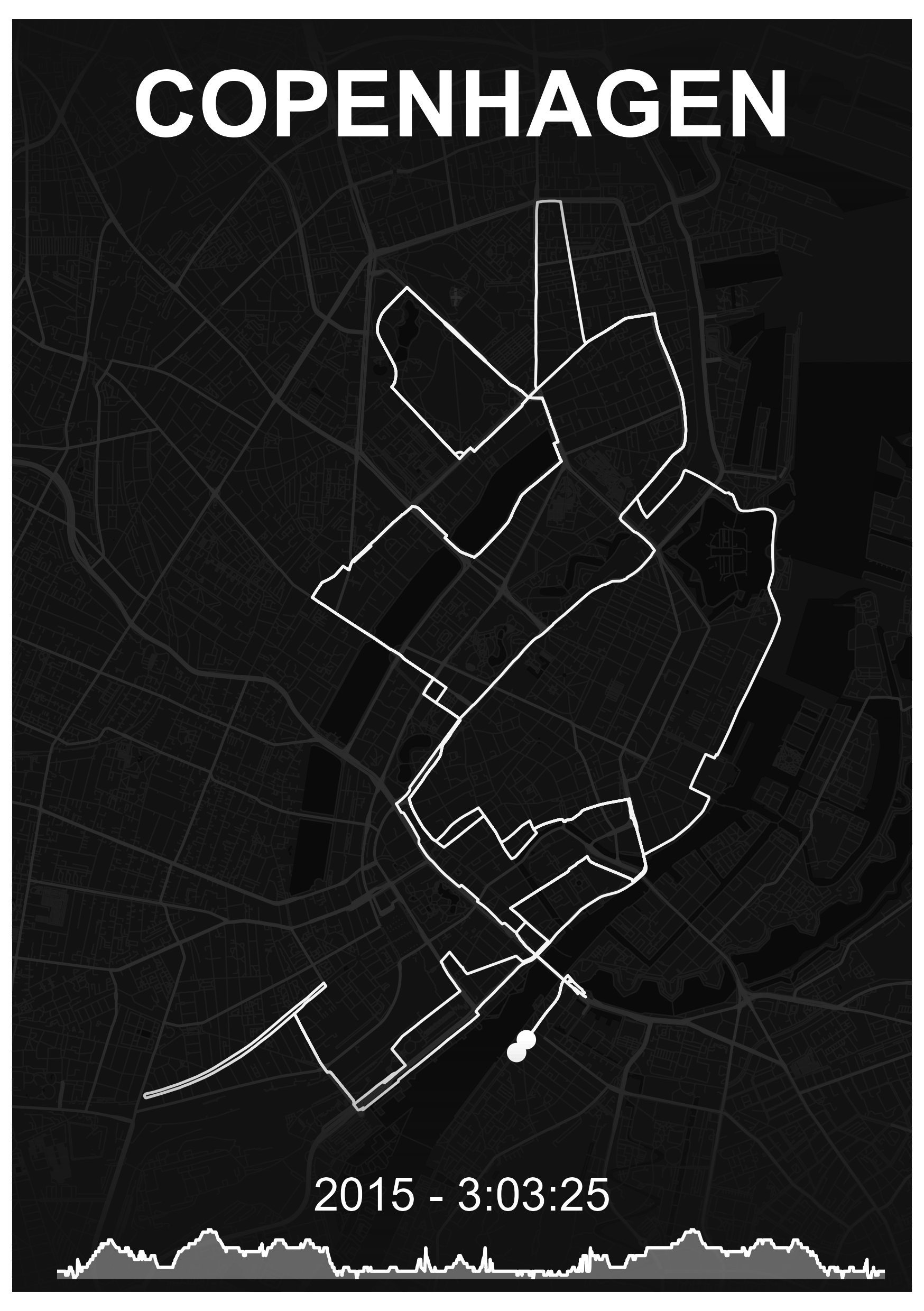
| Ghost | #ffffff | #121212 | #1e1e1e | #2d2d2d | #0a0a0a |
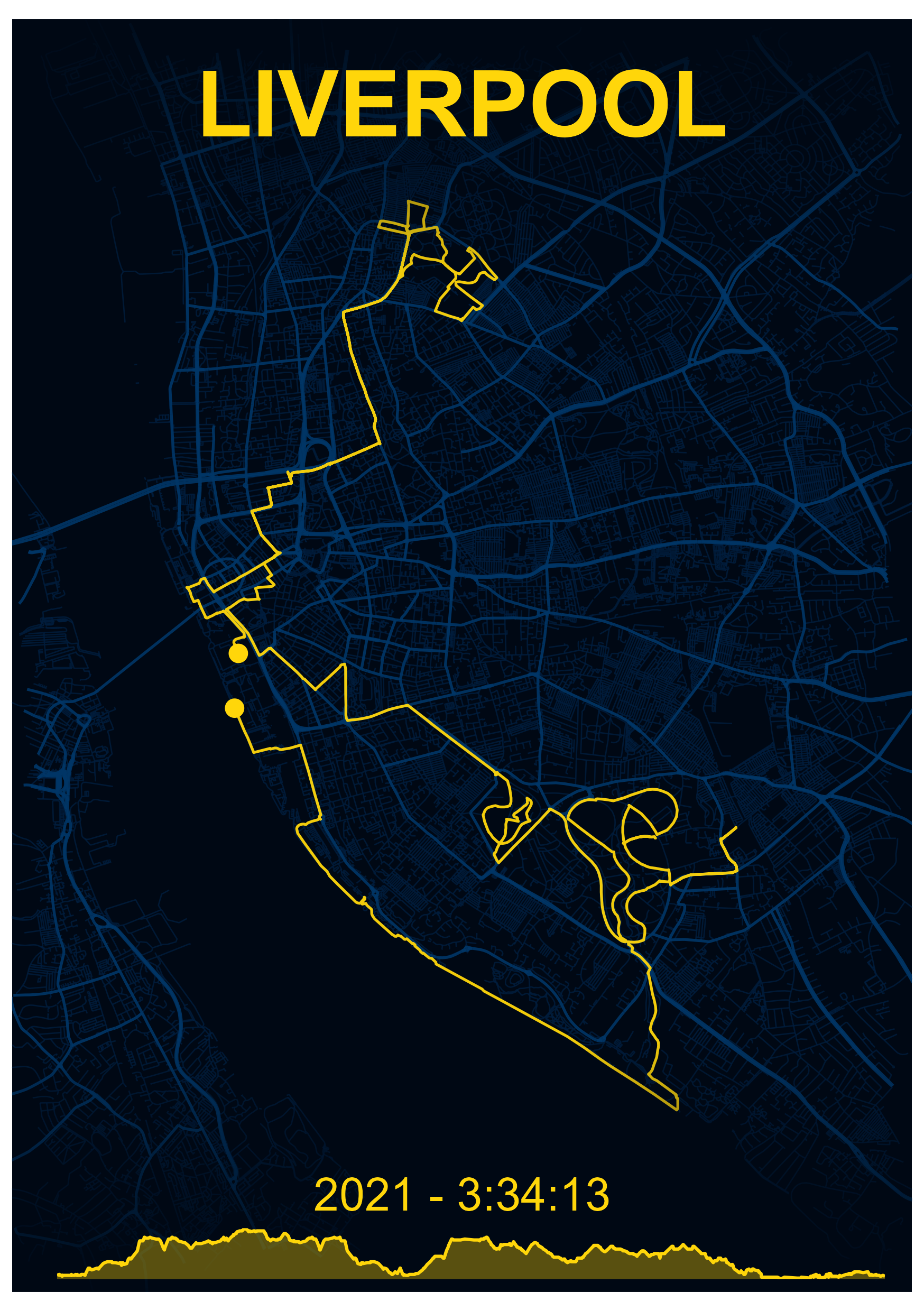
| Obsidian | #ffd60a | #000814 | #001d3d | #003566 | #000814 |
Built-in Map Styles
Introduction
mapMementoR includes six professionally designed map styles, each carefully crafted to create beautiful, print-ready visualizations of your routes. Each style defines a complete color palette including route color, background, streets, highways, and water bodies.
This vignette demonstrates how to use built-in styles and create custom color schemes.
Style Specifications
Style Descriptions
Dark
A modern, sophisticated dark theme perfect for dramatic presentations.
- Best for: Marathon routes, urban races, dramatic wall art
- Route: Warm gold (#d1af82) stands out beautifully against dark background
- Vibe: Professional, modern, high-contrast
Emerald
A fresh, natural theme with forest green tones.
- Best for: Trail runs, hiking routes, nature-focused maps
- Route: Forest green (#2d4a3e) on cream background
- Vibe: Organic, calm, vintage-inspired
Nautical
Classic maritime-inspired colors reminiscent of nautical charts.
- Best for: Coastal routes, waterfront races, classic presentations
- Route: Blue-grey (#2c3e50) with warm cream background
- Vibe: Traditional, elegant, timeless
Zen
Minimalist monochrome design for clean, modern aesthetics.
- Best for: Minimalist decor, professional presentations, clean design
- Route: Charcoal (#2d2d2d) on light grey background
- Vibe: Minimal, professional, versatile
Ghost
High contrast reversed design with white routes.
- Best for: Modern interiors, night runs, striking visual impact
- Route: White (#ffffff) on near-black background
- Vibe: Bold, contemporary, dramatic
Obsidian
Bold black background with brilliant gold routes.
- Best for: Trophy races, special achievements, luxury feel
- Route: Bright gold (#ffd60a) on pure black
- Vibe: Luxurious, celebratory, premium
Using Built-in Styles
Single Style
library(mapMementoR)

# Use a single built-in style
memento_map_series(
  races_path = system.file("extdata", "races.yaml", package = "mapMementoR"),
  output_dir = "maps",
  styles = c("Dark"),
  page_size = "A4",
  dpi = 300
)
Multiple Styles
Generate maps in all styles to compare:
# Generate maps in all six built-in styles
memento_map_series(
  races_path = system.file("extdata", "races.yaml", package = "mapMementoR"),
  output_dir = "maps",
  styles = c("Dark", "Emerald", "Nautical", "Zen", "Ghost", "Obsidian"),
  page_size = "A4",
  dpi = 300
)
Multi-Track Maps
Built-in styles work seamlessly with multi-track maps:
multitrack_map_series(
  track_sets_path = system.file("extdata", "track_sets.yaml", package = "mapMementoR"),
  output_dir = "maps",
  styles = c("Dark", "Zen"),
  page_size = "A3",
  with_labels = TRUE,
  track_color_method = "hue_shift"
)
Creating Custom Styles
Basic Custom Style
You can create your own color schemes alongside built-in styles:
memento_map_series(
  races_path = "my_races.yaml",
  styles = c("Dark", "Sunset"),
  custom_styles = list(
    Sunset = list(
      route_color = "#FF6B35",    # Coral orange
      bg_color = "#004E89",        # Deep ocean blue
      street_color = "#1A659E",    # Medium blue
      highway_color = "#2E86AB",   # Sky blue
      water_color = "#1A659E"      # Ocean blue
    )
  )
)
Multiple Custom Styles
memento_map_series(
  races_path = "my_races.yaml",
  styles = c("Sunset", "Forest", "Arctic"),
  custom_styles = list(
    Sunset = list(
      route_color = "#FF6B35",
      bg_color = "#004E89",
      street_color = "#1A659E",
      highway_color = "#2E86AB",
      water_color = "#1A659E"
    ),
    Forest = list(
      route_color = "#6B8E23",    # Olive green
      bg_color = "#F5F5DC",        # Beige
      street_color = "#E8E4D8",
      highway_color = "#D4CFC0",
      water_color = "#87CEEB"      # Sky blue
    ),
    Arctic = list(
      route_color = "#4A90E2",    # Ice blue
      bg_color = "#FFFFFF",        # White
      street_color = "#E8F4F8",
      highway_color = "#B8D4E8",
      water_color = "#C8E6F5"
    )
  )
)
Color Selection Tips
Finding Color Palettes
-
Online Tools:
- Coolors.co - Generate color schemes
- Adobe Color - Color wheel and exploration
- Paletton - Advanced color scheme designer
-
Inspiration Sources:
- Existing maps and posters
- Photography from your race location
- Brand guidelines (if creating branded maps)
Color Relationships
# Example: Create a cohesive palette from a base color
base_route <- "#d1af82"  # Starting with Dark theme's route color

memento_map_series(
  races_path = "my_races.yaml",
  styles = c("MyPalette"),
  custom_styles = list(
    MyPalette = list(
      route_color = base_route,
      bg_color = "#0a0e27",        # Very dark, high contrast
      street_color = "#1a1f3a",    # Slightly lighter than background
      highway_color = "#2d3250",   # More prominent than streets
      water_color = "#1a2332"      # Distinct but harmonious
    )
  )
)
Contrast Guidelines
- Route vs Background: High contrast (>4.5:1) for readability
- Streets vs Background: Subtle (low contrast) to avoid clutter
- Highways vs Streets: Moderate difference for hierarchy
- Water: Distinct but harmonious with overall palette
Testing Styles
Quick Test Workflow
# 1. Test with low DPI and small size first
memento_map_series(
  races_path = "my_races.yaml",
  styles = c("TestStyle"),
  custom_styles = list(
    TestStyle = list(
      route_color = "#FF6B35",
      bg_color = "#004E89",
      street_color = "#1A659E",
      highway_color = "#2E86AB",
      water_color = "#1A659E"
    )
  ),
  page_size = "A5",
  dpi = 150,
  output_dir = "test_maps"
)

# 2. Review on screen

# 3. If satisfied, generate final version
memento_map_series(
  races_path = "my_races.yaml",
  styles = c("TestStyle"),
  custom_styles = list(
    TestStyle = list(
      route_color = "#FF6B35",
      bg_color = "#004E89",
      street_color = "#1A659E",
      highway_color = "#2E86AB",
      water_color = "#1A659E"
    )
  ),
  page_size = "A3",
  dpi = 300,
  output_dir = "final_maps"
)
Style Variations
Light vs Dark Themes
# Light theme characteristics
light_theme <- list(
  route_color = "#2d2d2d",    # Dark route on light background
  bg_color = "#fafafa",        # Very light background
  street_color = "#eeeeee",    # Slightly darker than background
  highway_color = "#d4d4d4",   # More prominent
  water_color = "#e8e8e8"      # Subtle
)

# Dark theme characteristics
dark_theme <- list(
  route_color = "#d1af82",    # Light route on dark background
  bg_color = "#0a0e27",        # Very dark background
  street_color = "#1a1f3a",    # Slightly lighter than background
  highway_color = "#2d3250",   # More prominent
  water_color = "#1a2332"      # Subtle
)
Style-Specific Features
Elevation Profiles
Elevation profiles automatically adapt to your chosen style:
# Elevation chart uses route_color with transparency
memento_map_series(
  races_path = "my_races.yaml",
  styles = c("Dark"),
  with_elevation = TRUE,  # Route color will be used for elevation chart
  page_size = "A4"
)
Hillshade Rendering
Hillshade (terrain relief) adjusts based on background color:
# Light backgrounds get darker hillshade
# Dark backgrounds get lighter hillshade
memento_map_series(
  races_path = "my_races.yaml",
  styles = c("Dark", "Zen"),
  with_hillshade = TRUE,
  page_size = "A4"
)
Print Considerations
Light Styles for Printing
Light background styles (Emerald, Nautical, Zen) are more economical for printing:
# Economical printing option
memento_map_series(
  races_path = "my_races.yaml",
  styles = c("Zen"),  # Minimal ink usage
  page_size = "A4",
  dpi = 300
)
Dark Styles for Digital
Dark backgrounds (Dark, Ghost, Obsidian) work beautifully on screens:
# Optimized for screen viewing
memento_map_series(
  races_path = "my_races.yaml",
  styles = c("Dark", "Ghost"),
  page_size = "A4",
  dpi = 150  # Lower DPI sufficient for screens
)
Conclusion
Built-in styles provide professional, tested color combinations that work well for most use cases. Custom styles allow you to match specific branding, personal preferences, or thematic requirements.
Key Takeaways:
- Start with built-in styles to understand what works
- Test custom styles at low resolution first
- Consider final medium (print vs screen) when choosing colors
- Maintain adequate contrast for readability
- Keep color palettes harmonious and cohesive
For more advanced customization, see the OSM Components vignette.