Ben Black
Introduction
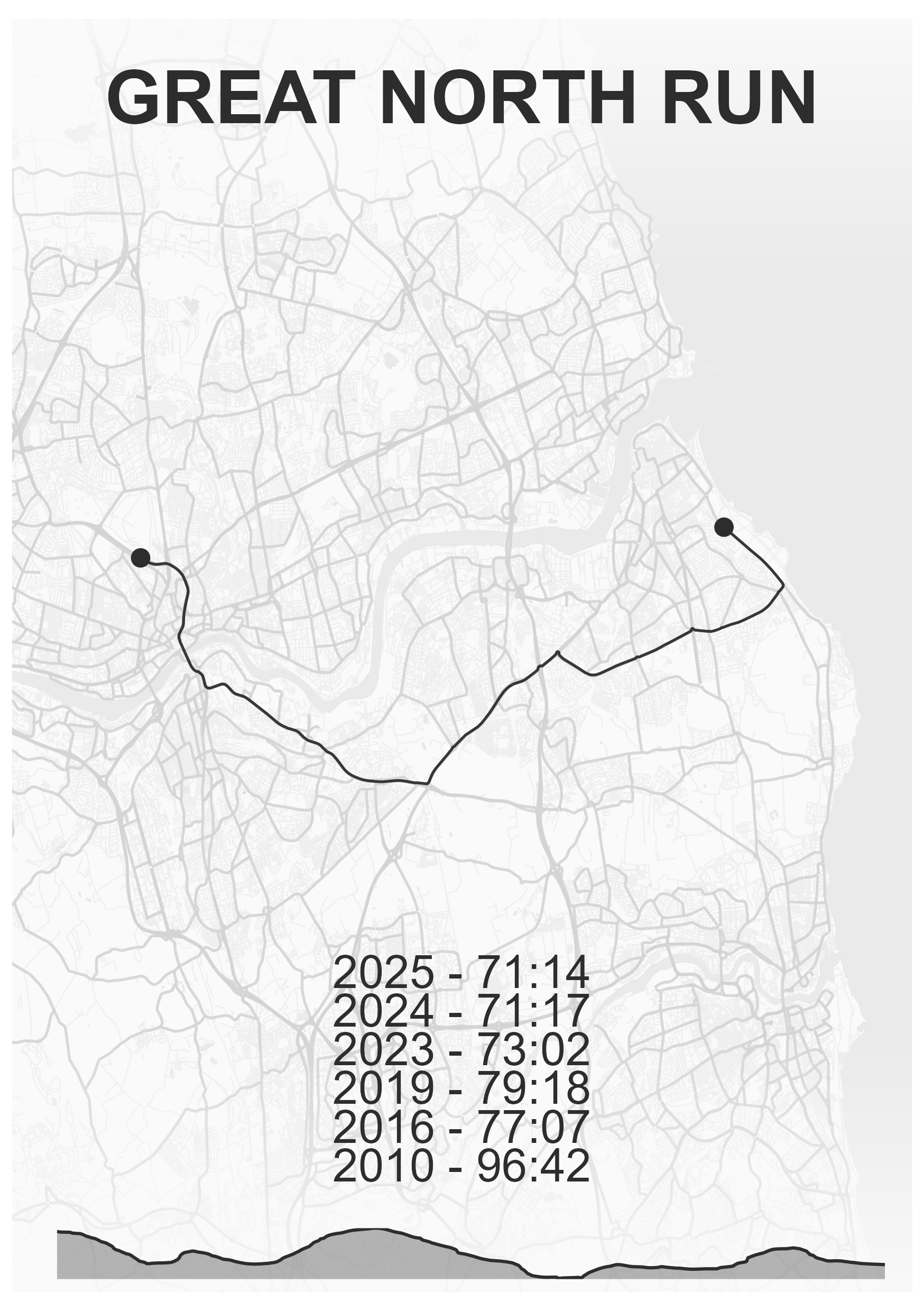
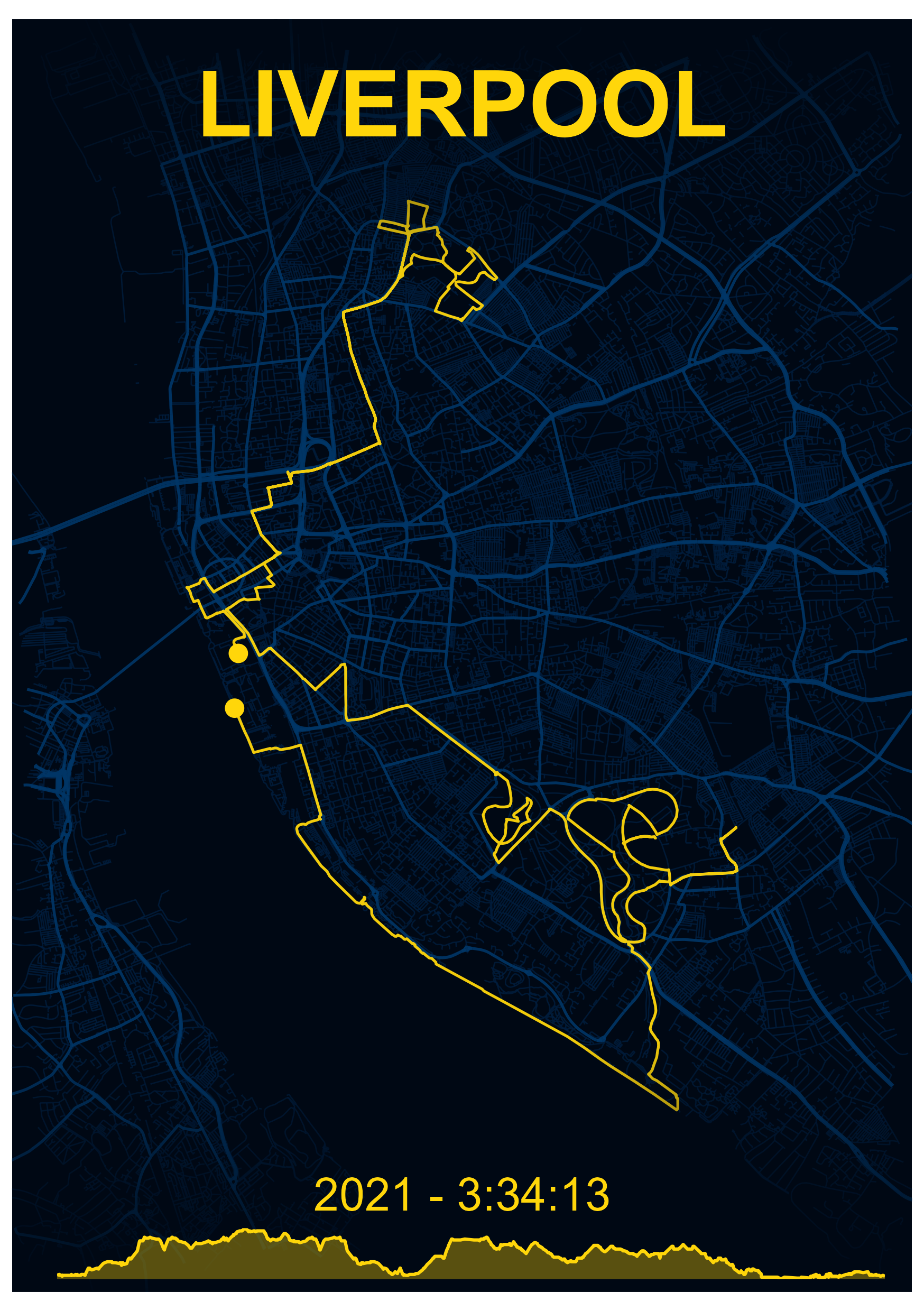
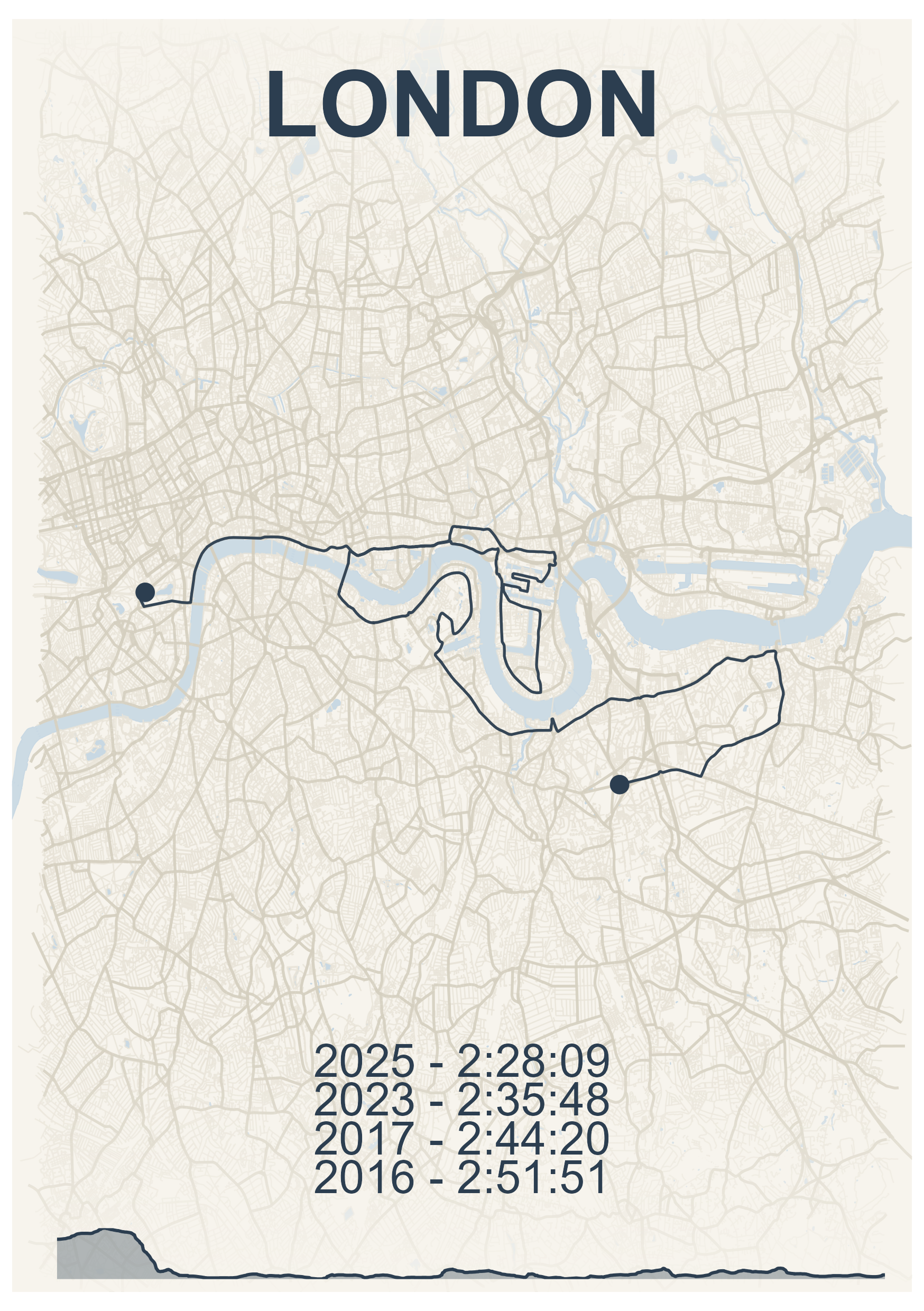
Create print-ready maps of your running routes, races, or multi-day adventures using GPX data. mapMementoR generates visualizations with customizable color schemes, elevation profiles, OpenStreetMap backgrounds, and support for tracking multiple performances at the same location.
Features
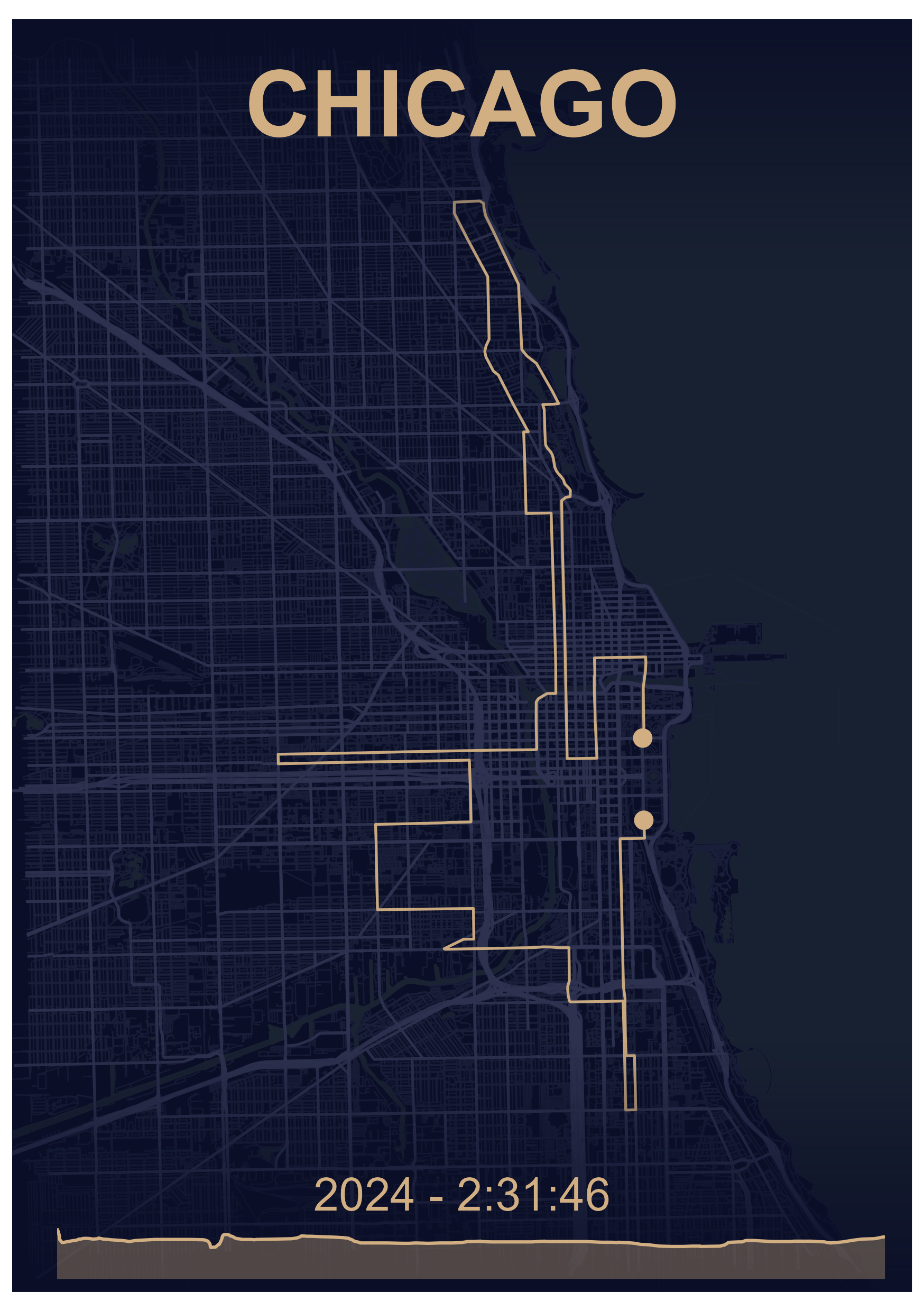
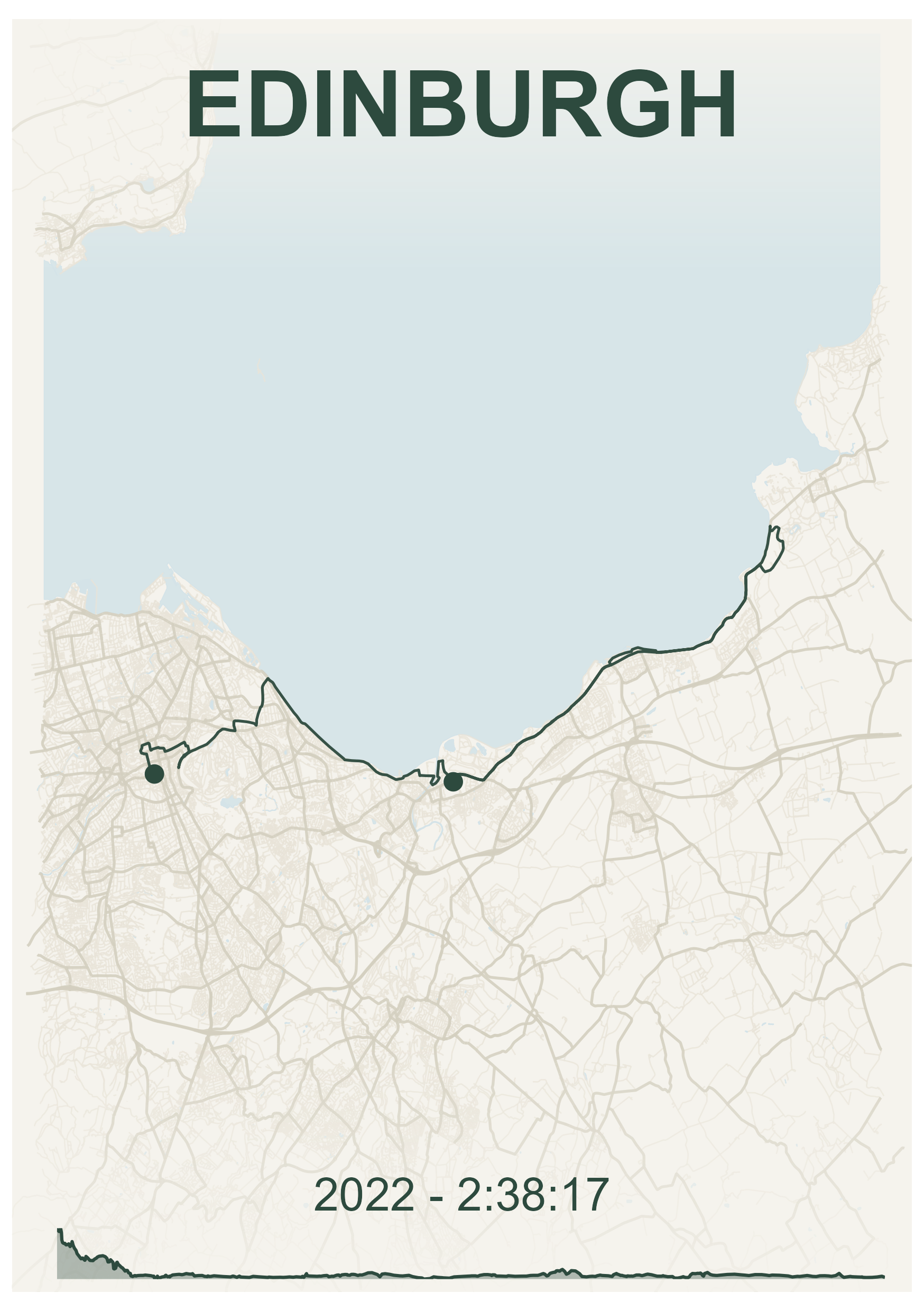
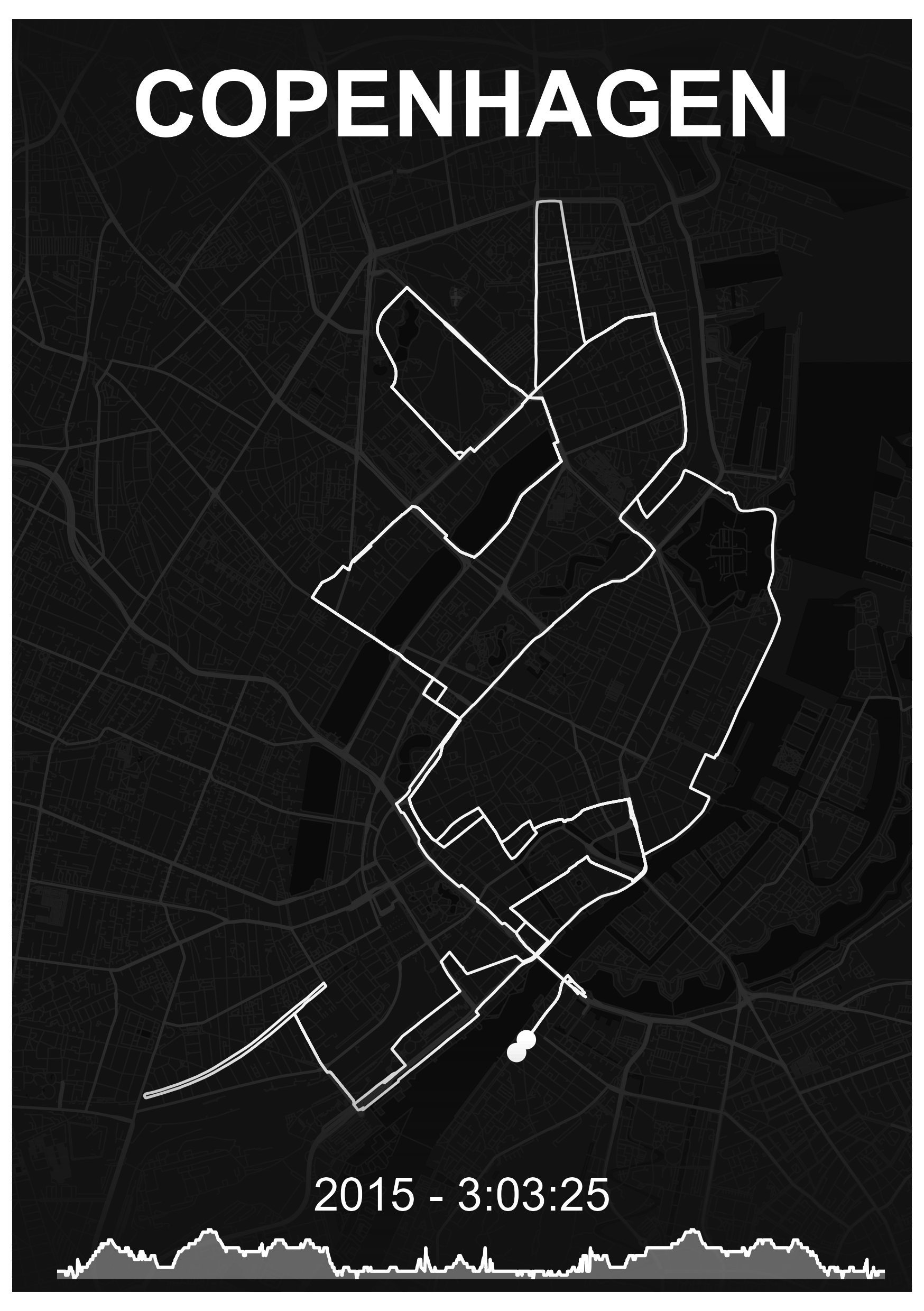
- Single Route Maps: Create elegant maps showing individual races with performance details
- Multi-Track Maps: Combine multiple GPX tracks on one map (perfect for multi-stage races or relay events)
- Built-in Styles: Six professionally designed color schemes (Dark, Emerald, Ghost, Nautical, Zen, Obsidian)
- Customizable Appearance: Full control over colors, fonts, page sizes, and map elements
- Elevation Profiles: Automatic generation of elevation charts from GPS data
- OpenStreetMap Integration: Beautiful background layers including streets, highways, water bodies, and coastlines
- Batch Processing: Generate maps for multiple races and styles simultaneously
- Power of 10 Integration: Automatically import UK running race data
Installation
# install.packages("pak")
pak::pak("blenback/mapMementoR")
Quick Start
Single Race Maps
library(mapMementoR)

# Create maps for all races in your YAML file
memento_map_series(
  output_dir = "my_maps",
  races_path = "data-raw/my_races.yaml",
  styles = c("Dark", "Emerald"),
  page_size = "A4",
  dpi = 300
)
Multi-Track Maps
# Create maps combining multiple tracks
multitrack_map_series(
  output_dir = "outputs",
  track_sets_path = "data-raw/track_sets.yaml",
  styles = c("Dark", "Zen"),
  page_size = "A3",
  with_labels = TRUE
)
Configuration
Race Data YAML
The race data file defines your races and performance entries. Example races.yaml:
races:
  - gpx_file: "inst/extdata/london.gpx"
    competitor_name: "John Doe"
    location: "London"
    entries:
      - race_year: "2025"
        race_time: "2:28:09"
      - race_year: "2024"
        race_time: "2:30:45"
See inst/extdata/races.yaml for a complete example.
Required fields: - gpx_file: Path to GPX file - competitor_name: Athlete name - location: Location label for the map - entries: List of race entries with race_year and race_time
Optional fields: - event: Event type (HM, Mar, 5K, etc.) for organization
Track Sets YAML (for Multi-Track Maps)
For maps with multiple tracks (e.g., relay stages, multi-day events):
track_sets:
  - map_title: "City Relay\n2024"
    gpx_files:
      - "inst/extdata/leg1.gpx"
      - "inst/extdata/leg2.gpx"
      - "inst/extdata/leg3.gpx"
      - "inst/extdata/leg4.gpx"
    track_labels:
      - "Leg 1"
      - "Leg 2"
      - "Leg 3"
      - "Leg 4"
    elev_labels:
      - "Sarah"
      - "Mike"
      - "Emma"
      - "Tom"
    font_family: "Outfit-VariableFont_wght"
See inst/extdata/track_sets.yaml for a complete example.
Optional configuration: - route_colors: Custom colors for each track (auto-generated if not specified) - track_labels: Labels placed on the map - elev_labels: Labels for elevation profiles - font_family: Custom font
Automatic Import from Power of 10
Automatically create race YAML from UK running data:
save_powerof10_to_yaml(
  first_name = "Alex",
  surname = "Black",
  club = "North Shields Poly",
  event = c("HM", "Mar"),
  year = c(2023, 2024, 2025),
  yaml_path = "my_races.yaml"
)
This creates a YAML file with all your race entries. Add GPX file paths manually.
Customization
Built-in Styles
Six professionally designed styles are included:
- Dark: Warm gold route on deep navy background
-
Emerald: Dark green route on cream background
- Nautical: Blue-grey route on warm cream background
- Zen: Charcoal route on light grey background
- Ghost: White route on dark background
- Obsidian: Bright gold route on black background
Custom Styles
Create custom color schemes:
memento_map_series(
  races_path = "my_races.yaml",
  styles = c("Dark", "MyCustom"),
  custom_styles = list(
    MyCustom = list(
      route_color = "#FF6B35",    # Coral
      bg_color = "#004E89",        # Deep blue
      street_color = "#1A659E",    # Medium blue
      highway_color = "#2E86AB",   # Lighter blue
      water_color = "#1A659E"      # Ocean blue
    )
  )
)
Map Components
Control which map elements to include:
memento_map_series(
  races_path = "my_races.yaml",
  with_elevation = TRUE,          # Include elevation profile
  with_OSM = TRUE,                # Include OpenStreetMap features
  with_hillshade = FALSE,         # Include terrain shading
  components = c(                 # Which OSM features to show
    "highways",
    "streets",
    "water",
    "coast"
  ),
  fade_directions = c(            # Fade edges of map
    "top",
    "bottom"
  ),
  crop_shape = NULL               # Options: NULL, "circle", "ellipse"
)
Page Formats
Supported page sizes for printing:
- A5 (148 × 210mm): Small prints, digital use
- A4 (210 × 297mm): Standard framing
- A3 (297 × 420mm): Large prints, posters
- A2, A1, A0: Very large format printing
memento_map_series(
  races_path = "my_races.yaml",
  page_size = "A3",
  orientation = "portrait",  # or "landscape"
  dpi = 300,                 # 300 for print, 150 for screen
  base_size = 12             # Base font size
)
Advanced Features
Color Generation for Multi-Track Maps
When creating multi-track maps, route colors can be automatically generated from the base style color:
multitrack_map_series(
  track_sets_path = "track_sets.yaml",
  styles = c("Dark"),
  track_color_method = "hue_shift"  # Options: "hue_shift", "complementary", "gradient"
)- hue_shift: Creates colors by varying hue (default)
- complementary: Generates complementary and analogous colors
- gradient: Creates colors with varying lightness and saturation
Caching OSM Data
OpenStreetMap data is cached by default to speed up regeneration:
memento_map_series(
  races_path = "my_races.yaml",
  cache_data = TRUE  # Set to FALSE to always fetch fresh data
)
Cached files are stored in data_cache_tmp/ as .rds files. Delete these files to refresh OSM data for a location.
Circular and Ellipse Cropping
Create artistic cropped maps:
memento_map_series(
  races_path = "my_races.yaml",
  crop_shape = "circle"  # Options: NULL, "circle", "ellipse"
)
When using circular cropping, text overlays are automatically repositioned for optimal appearance.
File Organization
Recommended folder structure:
project/
├── data-raw/
│   ├── london.gpx
│   ├── chicago.gpx
│   └── *.rds (cached OSM data)
├── output/
│   ├── Dark/
│   │   ├── A5/
│   │   └── A3/
│   └

- **A5** (148 × 210mm): Small prints, phone backgrounds
- **A4** (210 × 297mm): Standard paper, framing
- **A3** (297 × 420mm): Large prints, posters
- **A2/A1/A0**: Very large format printing

Higher DPI values (300-600) are recommended for printing, while 150-200 DPI works for screen viewing.

## Output Structure

Maps are organized by style, page size, and crop shape:
output_dir/ ├── Dark/ │ ├── A4/ │ │ └── full_page/ │ │ ├── London.png │ │ └── Chicago.png │ └── A3/ │ └── circle/ │ └── London.png └── Emerald/ └── A4/ └── full_page/ └── London.png
## Low-Level Functions

For programmatic control, use the core functions directly:

```r
# Single race map
create_memento_map(
  gpx_file = system.file("extdata", "london.gpx", package = "mapMementoR"),
  competitor_name = "John Doe",
  location = "London",
  entries = list(
    list(race_year = "2025", race_time = "2:28:09"),
    list(race_year = "2024", race_time = "2:30:45")
  ),
  route_color = "#d1af82",
  bg_color = "#0a0e27",
  street_color = "#1a1f3a",
  highway_color = "#2d3250",
  water_color = "#1a2332",
  output_dir = "maps",
  dpi = 300,
  page_size = "A4",
  orientation = "portrait"
)

# Multi-track map
create_multitrack_memento_map(
  gpx_files = system.file("extdata", c("leg1.gpx", "leg2.gpx", "leg3.gpx", "leg4.gpx"),
                         package = "mapMementoR"),
  track_labels = c("Leg 1", "Leg 2", "Leg 3", "Leg 4"),
  elev_labels = c("Sarah", "Mike", "Emma", "Tom"),
  route_colors = c("#d1af82", "#82b4d1", "#d182a8", "#d1af82"),
  map_title = "City Relay\n2024",
  output_dir = "maps",
  page_size = "A3",
  with_labels = TRUE
)
Troubleshooting
GPX File Issues - Ensure GPX files contain track points (<trkpt> elements) - Check files aren’t corrupted by opening in a text editor - Try re-exporting from your GPS device or app (Garmin Connect, Strava, etc.)
Missing Map Features - OSM data is cached in data_cache_tmp/*.rds files - Delete cache files to fetch fresh OpenStreetMap data - Ensure internet connection when first running for each location
Color Issues - Use hex format: "#RRGGBB" (6 characters after #) - Ensure adequate contrast between route and background colors - Test colors on screen before printing
Font Issues - Default font is “Outfit-VariableFont_wght” - Place custom fonts in fonts/ directory - Or use system fonts: “Arial”, “Helvetica”, “Times New Roman”
Memory Issues with Large Maps - Reduce dpi value (e.g., 150 instead of 300) - Limit number of map components - Process styles one at a time instead of all at once
Tips for Best Results
- GPX Quality: Use tracks recorded with good GPS signal for smooth, accurate routes
- Test First: Generate one map with one style before batch processing
- Print Tests: Print at small size first to verify colors appear as expected
- Multiple Performances: The package beautifully displays progression across multiple years
- Naming: Use clear, concise location names for better layout
-
Caching: Keep cache enabled (
cache_data = TRUE) for faster regeneration
Related Functions
# Parse GPX files
track_data <- parse_gpx("data-raw/race.gpx")

# Get track statistics
stats <- get_track_stats(track_data)

# Generate color palettes
colors <- generate_track_colors(
  base_color = "#d1af82",
  n_colors = 5,
  method = "hue_shift"
)

# Get page dimensions
dims <- get_page_dimensions(page_size = "A4", orientation = "portrait")
Examples
See the package vignettes for detailed examples:
- Introduction to mapMementoR
- Single race maps
- Multi-track maps
- Custom styling
- Batch processing workflows